31 Mar 2026
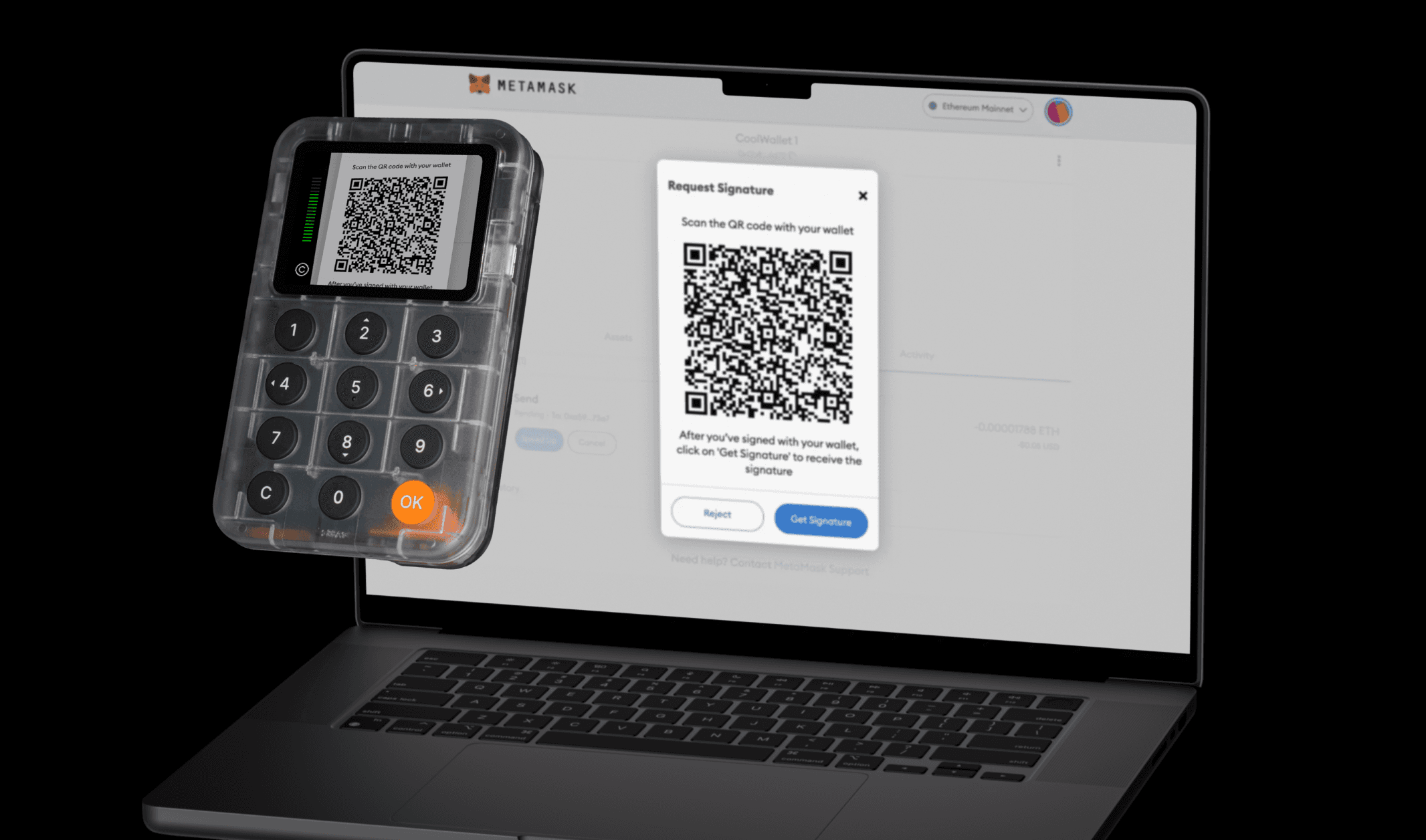
Keycard and Keycard Shell work together with a software wallet that supports QR signing to initiate and sign transactions. You must connect your Keycard Shell to a software wallet to initiate the transaction, then use your Keycard Shell to sign the transaction.
- With Keycard and Keycard Shell, you can sign transactions and interact with dApps through your software wallet. For example, you can send crypto, swap tokens, give dApps permission to use your tokens, or verify your identity.
- When signing a transaction, your Keycard or Keycard Shell doesn't use the internet. Keycard Shell transfers your transaction details and signature using QR codes.
In this process, your software wallet shows a QR code with the transaction, which you scan with Keycard Shell. Then, you scan the Keycard Shell's QR code with your software wallet to complete the transaction.
If you have multiple accounts in your software wallet, be sure to select the one you want to use for the transaction, and confirm it comes from your Keycard.
- 1Open your software wallet or dApp and initiate a transaction.
- 2Confirm the transaction in your software wallet. You see a QR code containing your transaction data.
- 1Insert your Keycard into Keycard Shell to power it on.
- 2Enter your Keycard PIN.
- 3Select Scan QR to open the camera.
- 4Scan the QR code in your software wallet with the Keycard Shell camera.
- 5Review the transaction details on the Keycard Shell screen. Press ◀ Left and ▶ Right to view the full information.
- 6Press OK to confirm the transaction. You see a QR code containing the signature on the Keycard Shell screen.
Always verify the transaction details before confirming to ensure you're signing what you expect.
- 1In your software wallet, click the option for receiving the transaction signature.
- 2Using your software wallet, scan the QR code on the Keycard Shell screen with your phone or webcam (depending on the device).
Steps may vary depending on your software wallet. Refer to your wallet's documentation for exact instructions on initiating transactions with a hardware wallet.
Last edited
31 Mar 2026
In this document